AI Through a Developer’s Lens: Smarter, Not Just Faster

Sushmitha
Over the last few years, the way we build software has quietly but significantly changed. What used to be a heavily manual, search-driven process is now increasingly assisted by AI tools embedded directly into our development environments.
As a developer, I’ve noticed this shift not just in tools, but in habits like the way I debug, the way I learn, and the way I think through problems. AI hasn’t replaced core engineering work, but it has reshaped the speed and flow of it.
This blog is a reflection on that change and what it means for day-to-day developer productivity.
From Stack Overflow to AI-first problem solving
There was a time when solving a complex coding issue, especially in areas like custom JavaScript or CSS, meant relying heavily on what had already been discussed by others. My approach usually involved opening multiple tabs: Stack Overflow, community forums, and technology-specific portals, trying to find the closest match to my problem and then adapting it to fit my use case.
This worked, but it naturally came with limitations. The solution space was restricted to what had already been asked, answered, and documented by someone else. For less familiar technologies or edge-case UI issues, this often meant a fair amount of trial, error, and interpretation.
Today, that workflow has changed significantly. With AI integrated into development environments, I can describe the problem in context and immediately get multiple solution approaches—often already adapted to my specific scenario. Instead of manually filtering through community answers, I now get a curated set of options within seconds, which I can evaluate and refine.
In that sense, the shift is not just about speed, it’s about having access to a broader and more flexible solution space, where different approaches are surfaced instantly rather than discovered manually over time.
When “good code” is not enough anymore
In a recent project, I experienced something that reflects how expectations have evolved.
Even when code was written with care, optimization, and multiple iterations, reviewers often looked for something beyond correctness, i.e., clarity, edge-case handling, and a certain level of “polish” or insight in implementation.
What changed the experience was using an AI-assisted IDE (like Cursor). With well-structured prompts, it was able to suggest improvements, highlight missing edge cases, and even refactor logic in seconds that might otherwise take hours of manual refinement.
The key takeaway here is not that AI replaces thinking, but that it helps surface improvements faster, especially when expectations are high.
The importance of evolving with tools
One of the most important lessons in modern development is that tools evolve quickly and staying static comes at a cost.
I initially used GitHub Copilot Chat and found it helpful, but somewhat limited when it came to deeper repository-wide understanding or multi-file reasoning. As AI tooling evolved toward more “agent-like” behavior, I explored alternatives like Cursor, which provided stronger context awareness across the codebase and better support for debugging and feature development workflows.
Around the same time, newer model-based tools (including Claude-based coding assistants) started gaining traction in the developer community, further pushing the boundaries of what AI-assisted development could do.
The broader point here is simple: productivity improves when we continuously reassess and adopt tools that better match our workflow needs.
Overreliance: 0% Participation from Pilot, 100% from Copilot!
In core code reviews and collaborative development, I’ve also observed a growing pattern where some developers tend to rely on AI too early in the process, sometimes even before fully understanding the problem statement themselves. In such cases, the solution is often generated first, and correctness is then verified primarily through testing rather than a deep understanding of the logic.
While AI can significantly accelerate development, this approach can introduce hidden risks, especially when edge cases or business context are not fully considered upfront.
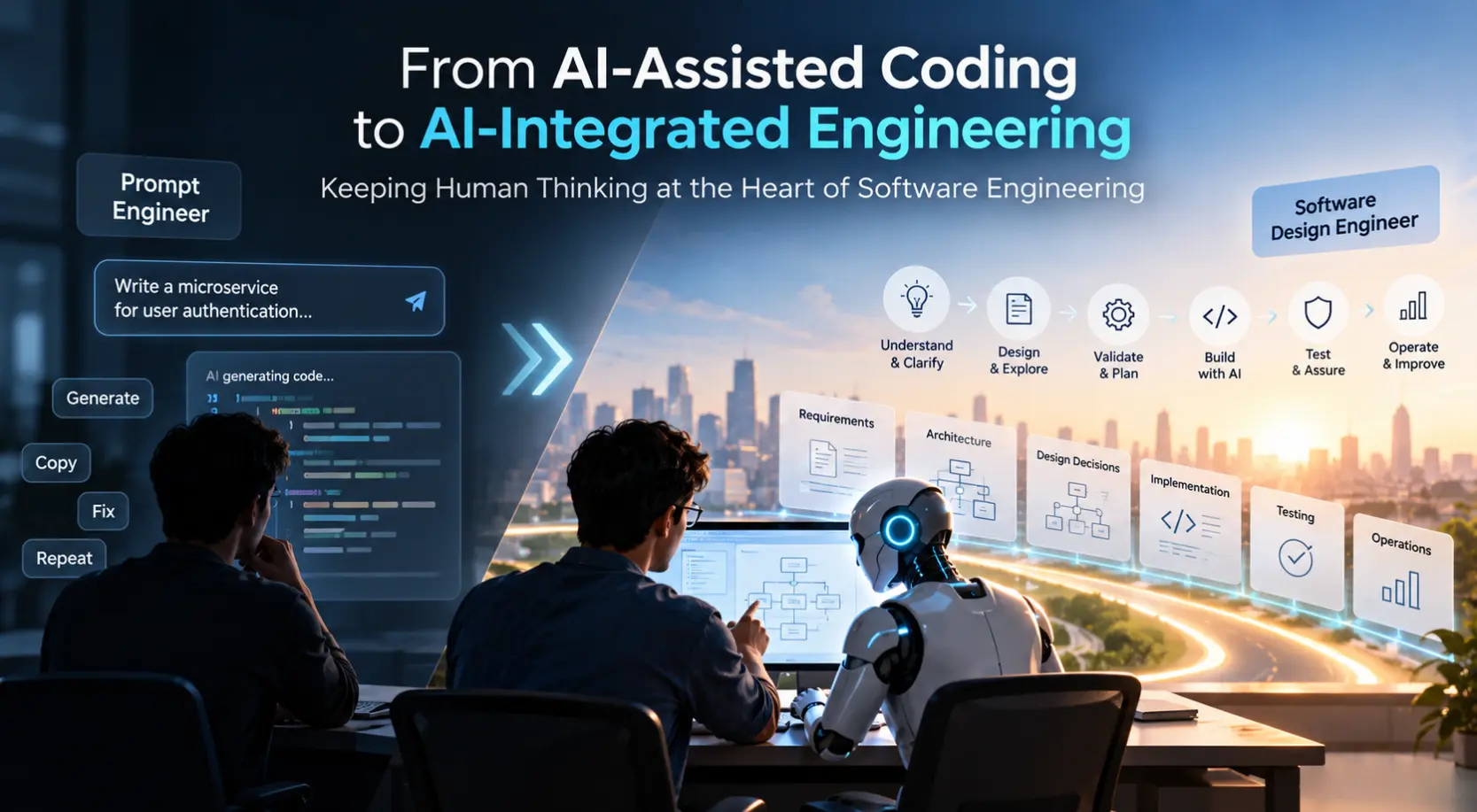
From my experience, the most effective way to use AI is the opposite: first spend time understanding and analyzing the problem thoroughly and then use AI as a tool to explore solution options or validate approaches. Carefully crafting prompts based on a clear mental model of the problem leads to much more accurate and relevant outputs.
This approach is also important from a practical standpoint, as it helps avoid unnecessary or repetitive AI interactions, ensuring more efficient usage while maintaining control over the solution design.
Ultimately, AI should support decision-making, not replace the thinking process that leads to it.
AI is powerful, but not infallible
Despite all the advancements, one principle remains unchanged: AI-generated output must be reviewed critically.
- No matter how advanced the tool is, it can:
- Misinterpret requirements
- Miss edge cases
- Introduce subtle logical errors
- Suggest inefficient or insecure patterns
- Add unnecessary or trivial comments and overdocumentation that do not add value or may already be obvious from the code itself
- Produce verbose or redundant code that requires simplification and refactoring
- Proactively modify unrelated parts of the code that fall outside the scope of the change
This is why human review remains essential in any production-grade system. AI can accelerate development, but responsibility still sits with the developer.
Practical Takeaways for Using AI Effectively
AI has changed developer productivity in a very real way, not by removing engineering effort, but by compressing the time between problem and solution. It has shifted how we search, how we learn, and how we iterate.
However, the most effective way to work with AI is not to rely on it blindly or use it as a first step in every problem. Instead, it starts with understanding and analyzing the problem thoroughly, followed by using AI to explore solution options, validate approaches, and refine implementation.
Combining this approach with continuous tool evaluation ensures that developers are not just keeping up with change but actively improving their workflows. At the same time, maintaining a critical review mindset helps catch the limitations of AI, whether it’s missed edge cases, inefficient patterns, or unnecessary complexity.
The fundamentals of good engineering remain unchanged: understanding, judgment, and careful review. The real advantage comes from combining these principles with AI’s speed and flexibility, using it as a support system rather than a replacement for thinking.
Getting the balance right between AI speed and engineering judgment is something a lot of teams are still working through. If that’s you, let’s talk.