How to Test Low-Code Applications in Microsoft Power Apps: A Practical Step-by-Step Guide

Vinayaka

Microsoft Power Apps is used to create business applications with minimal or no code. However, ensuring applications work well across all devices, browsers, and integration points remains a challenge, despite the faster application creation process. This blog will walk through the essentials of Power Apps testing, from planning to tools and best practices.
How is Power Apps testing different?
The presence of the low-code platform, its integration with Microsoft 365 services, and its quick launch and update cycles pose some challenges. Testing Power Apps, whether they are canvas apps, model-driven apps, or portals, is critical to ensure seamless functionality, consistent performance, and user satisfaction across desktops and devices.
What is the Importance of Power Apps testing?
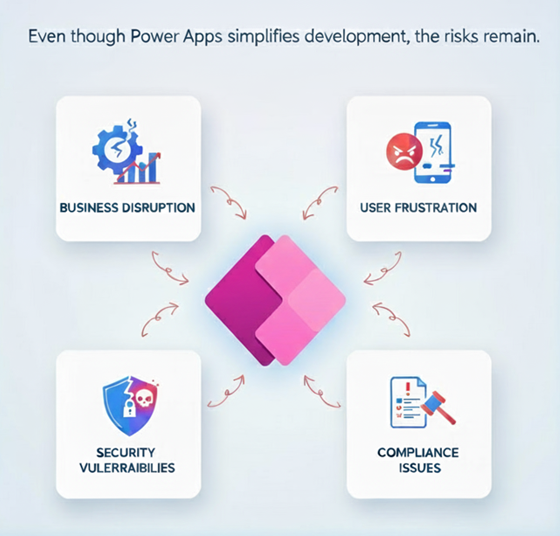
Microsoft Power Apps has revolutionized how businesses build applications. With its low-code capabilities, even non-developers can create apps to automate processes, connect data, and enhance productivity. But while development is faster, quality assurance (QA) remains essential.
What tools are used for Power Apps testing?
Power Apps provides various testing tools to ensure the quality and reliability of Canvas apps. The primary tool for this purpose is Power Apps Test Studio.
Power Apps Test Studio is a low-code tool used for writing, organizing, and automating tests for Canvas apps.
What are the Limitations of Power Apps Test Studio?
- Code Components: It cannot reliably test or interact with Power Apps Components or Code components developed within the Power Apps Component Framework (PCF).
- Publishing Dependency: In most cases, it is necessary to publish the app and potentially the test itself, even for simple test runs or before copying the test URL.
- Production App Connections: To record test results (e.g., to a Dataverse table), one must establish the required connections to the main Power Apps package.
- Test Data Dependency: There is no built-in test data management, so the results are dependent on the data that is present in the dataset during runtime.
How do you test Power Apps – Different Types of Testing
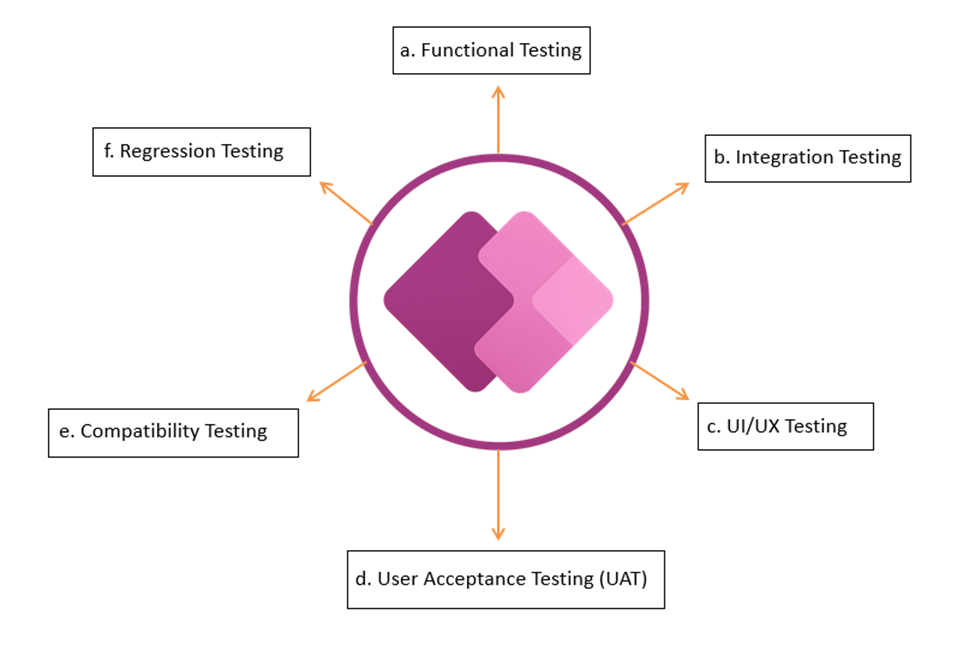
a. Functional Testing:
This verifies that all features and functionalities within the Power App, including formulas, controls, and data interactions, work as intended and meet the specified requirements. This includes:
Example: Login Form Validation
Scenario: A Power App used for employee requests.
- Verify that the “Submit” button is disabled until all mandatory fields (Employee Name, Job Title, Department, Dates, Number of Days) are filled.
- Ensure that Start Date < End Date — an error should appear if not.
- Confirm that the success notification appears, and the record is saved to the SharePoint list after submission.
b. Integration Testing
This aims to verify the interaction between different components within the Power App and with external systems (e.g., Dataverse, SharePoint, third-party APIs).
Example: Power Apps + Outlook Integration
Scenario: Leave Management App sends automatic email confirmations.
- After submitting a leave request, verify that the employee receives a confirmation email in Outlook.
- Check that the email subject and body contain the correct data (Leave Type, Dates, Request ID).
- Ensure the manager receives an approval email with “Approve” and “Reject” options. Confirm that email delivery works even for external recipients (if configured).
c. UI/UX Testing
This focuses on the user interface and user experience, ensuring the app is intuitive, responsive, and visually appealing across different devices and screen sizes.
Example: We need to verify that all controls (buttons, text boxes, icons) are correctly aligned and do not overlap. The same adapts properly when switching between phone, tablet, and desktop modes.
d. User Acceptance Testing (UAT)
This involves end-users testing the application in a production-like environment to confirm it meets their business needs and requirements before deployment.
Example: Customer Feedback or Survey App
Scenario: The business collects customer feedback after service completion.
- Verify that users can submit feedback easily without a login
- Check that responses populate correctly in the backend (Dataverse/SharePoint)
- Ensure that managers can filter results by date or branch
- Confirm that confirmation messages (“Thank you for your feedback”) display properly.
e. Compatibility Testing
This aims to ensure the app works across different devices, screen sizes, OS versions, and browsers.
While testing on devices, we should ensure that we cover:
- OS versions (e.g., Android 10–16, iOS 15–26)
- Device brands (Samsung, iPhone, iPad, Pixel, etc.)
- Network conditions (Wi-Fi, 4G, 5G, offline)
Example: An employee leave request app is used on desktop and mobile.
- Open the app on a desktop browser, tablet, and mobile Power Apps app.
- Validate form layout, buttons, and dropdowns align correctly.
- Check that calendar control displays properly on all devices.
- Test if submit and cancel buttons remain clickable across screen sizes.
f. Regression Testing
This aims to test unchanged or old features to ensure that changes, such as adding or fixing a defect, do not introduce defects into them.
Example: UI changed with new color themes and icons.
- Verify that existing forms retain all input fields and validation.
- Check that buttons and navigation still trigger the right screens.
- Ensure success/error messages remain visible and correctly formatted.
- Confirm font or color changes don’t impact accessibility.
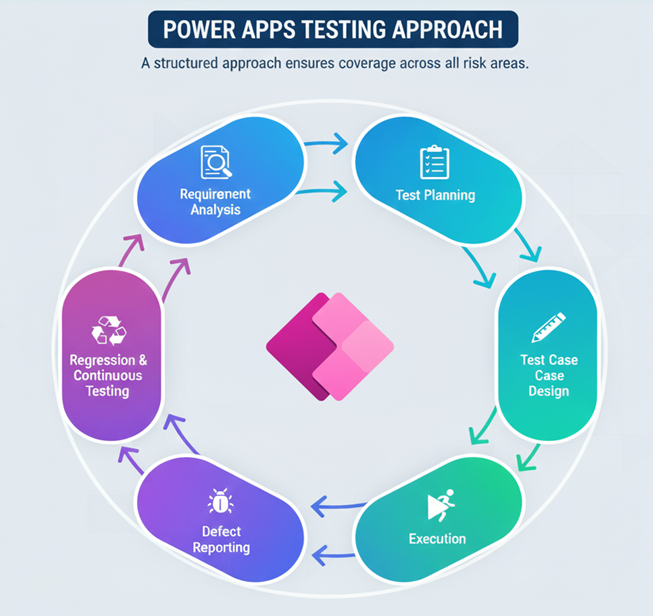
Power Apps Testing Approach
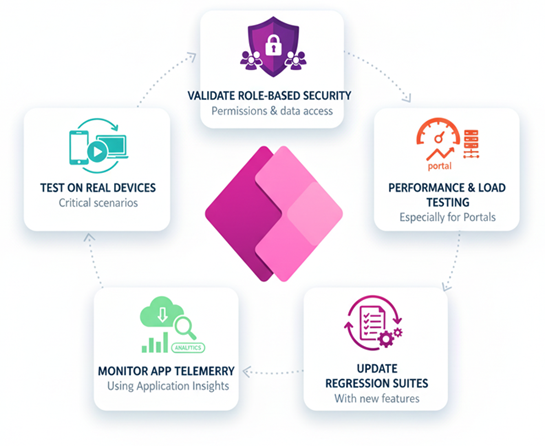
Best Practices for Power Apps Testing
- Test on actual devices for critical scenarios.
- Validate role-based security and permissions.
- Include performance and load testing for portals.
- Monitor app telemetry using Application Insights.
- Maintain regression test suites to include newer features.
What are the Challenges in testing Power Apps?
- Device & browser diversity – Apps may run on web, mobile, and Desktop.
- Integration points/Complexity – With SharePoint, Dataverse, APIs, and Power Automate flows.
- Limited direct code access – Logic is in formulas and configurations.
- Frequent and Rapid updates – Apps evolve rapidly, requiring quick regression checks, and frequent changes require quick regression cycles.
Conclusion
Power Apps has changed how applications are built, but quality still depends on strong testing practices. By combining manual exploration, automation, and integration testing, QA engineers can ensure that apps are reliable, secure, and user-friendly. Testing ensures that apps are not only functional but also secure, performant, and user-friendly across both desktops and mobile devices.
In the fast-paced low-code world, effective QA isn’t just about finding defects; it’s about enabling faster, safer releases.